Shipping labels: buy discounted postage right from the order
Connect a free Shippo account once, then buy USPS and UPS labels straight from your orders board. Tracking emails itself to your buyer.
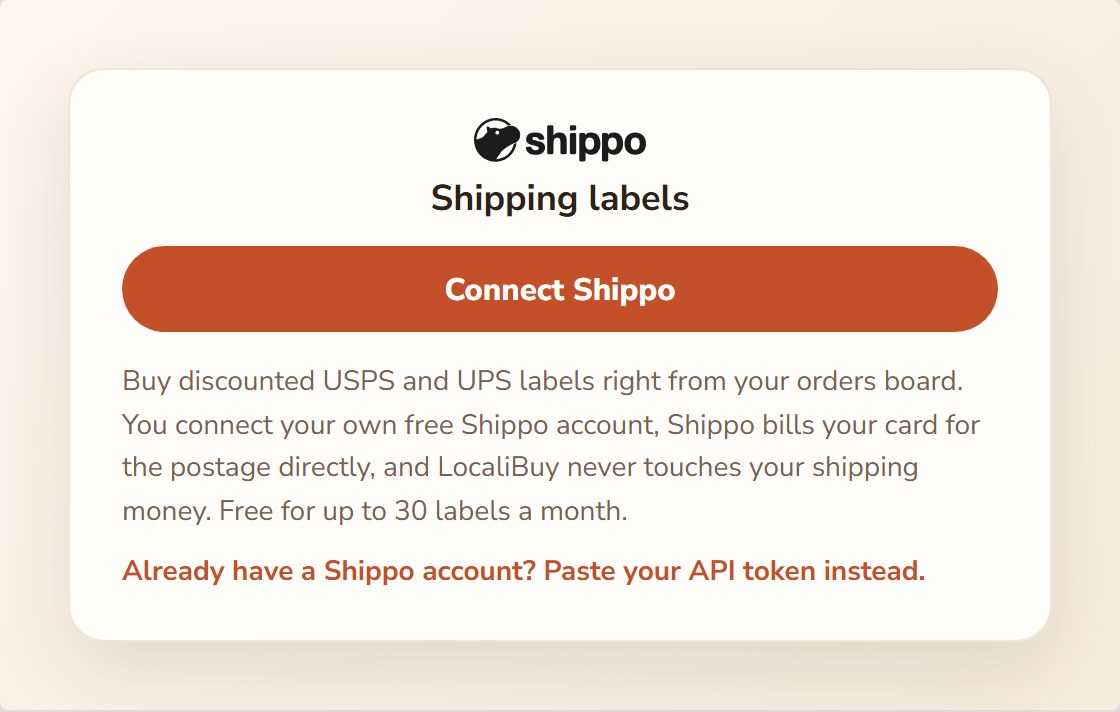
If you ship orders, you can buy the postage label right where the order lives, at commercial rates that usually beat the post office counter. You connect your own free Shippo account once, and after that a label is about thirty seconds per order: open it, pick a rate, print.
One thing to know up front, because it matters: your shipping money never passes through LocaliBuy. Shippo bills the card on your Shippo account for exactly the postage, the same way Square deposits your card sales straight to you. We just do the clicking.
One-time setup (about 3 minutes)
- Open Delivery options and find the Shipping labels card.
- Tap Connect Shippo. You’ll sign in or create a free Shippo account and add a card there for postage. Shippo is free for up to 30 labels a month.
- Back on the card, fill in your ship-from address. Most of it is filled in from your profile already. A PO box is fine if you’d rather not print your home address on packages. USPS requires a phone number, so that one’s not optional.
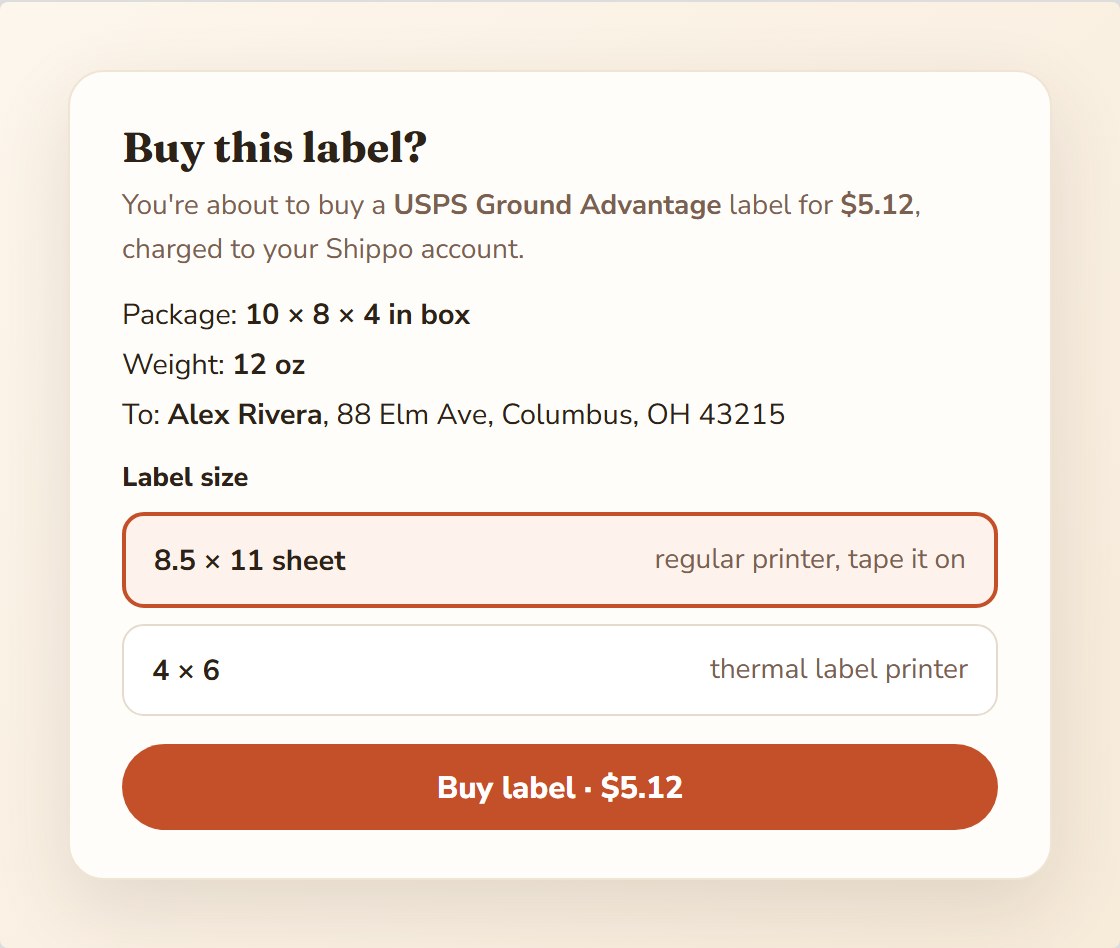
- Tell us your usual package: your own box and its size, or one of USPS’s free flat-rate boxes. You can also pick a label size: a regular 8.5 × 11 sheet you tape on, or 4 × 6 for a thermal label printer, or leave it on “ask me each time.”
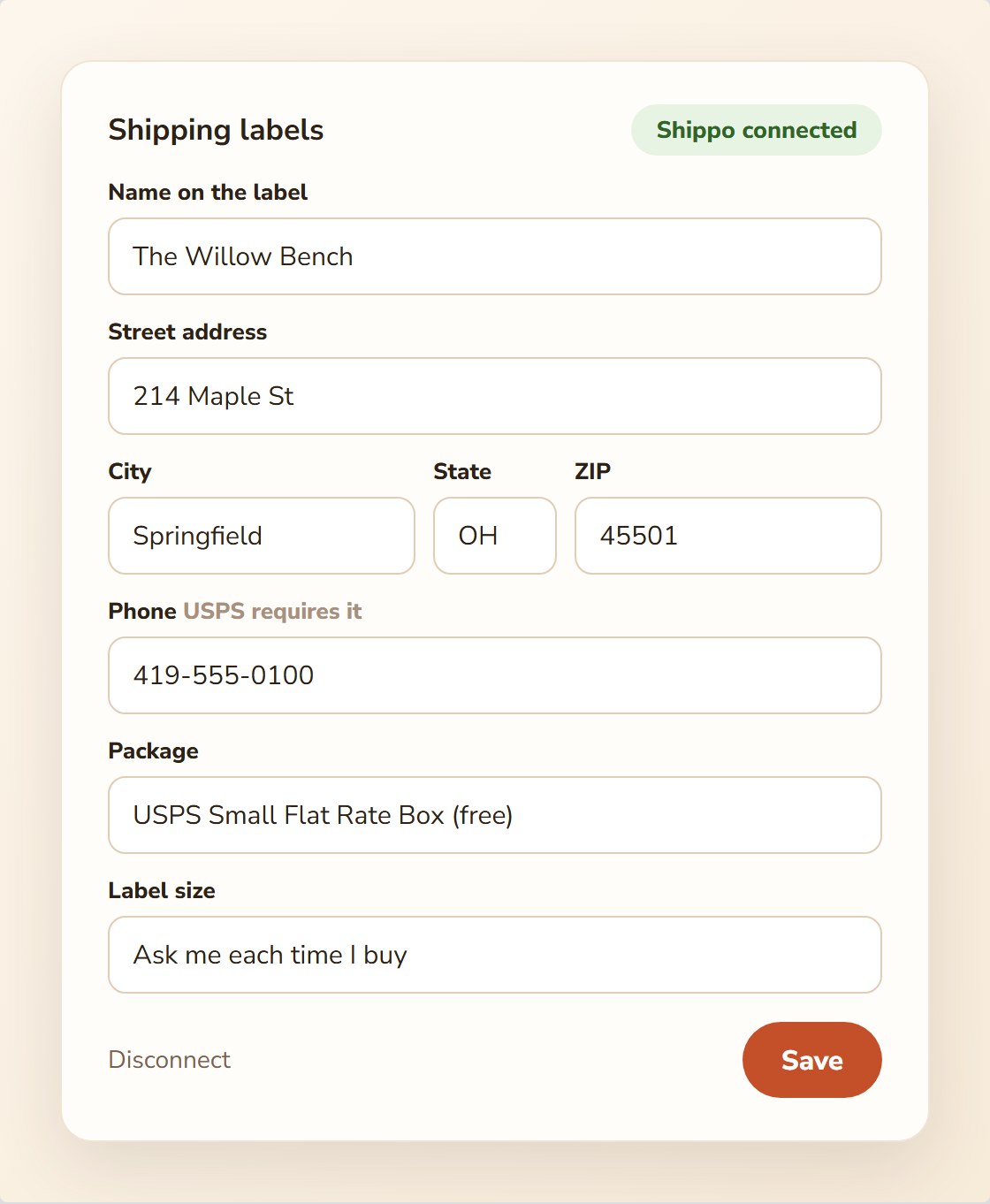
Already have a Shippo account? There’s a paste-your-API-token option on the same card instead.
Buying a label on an order
- On a paid shipping order, tap Buy a label. The buyer’s address is filled in and editable.
- The first time a product ships, type its packed weight in ounces and leave remember checked. You’ll never be asked for that product again.
- Pick your packaging: your own box (the size is right there to adjust) or a USPS flat-rate box, where the box is the price no matter the weight.
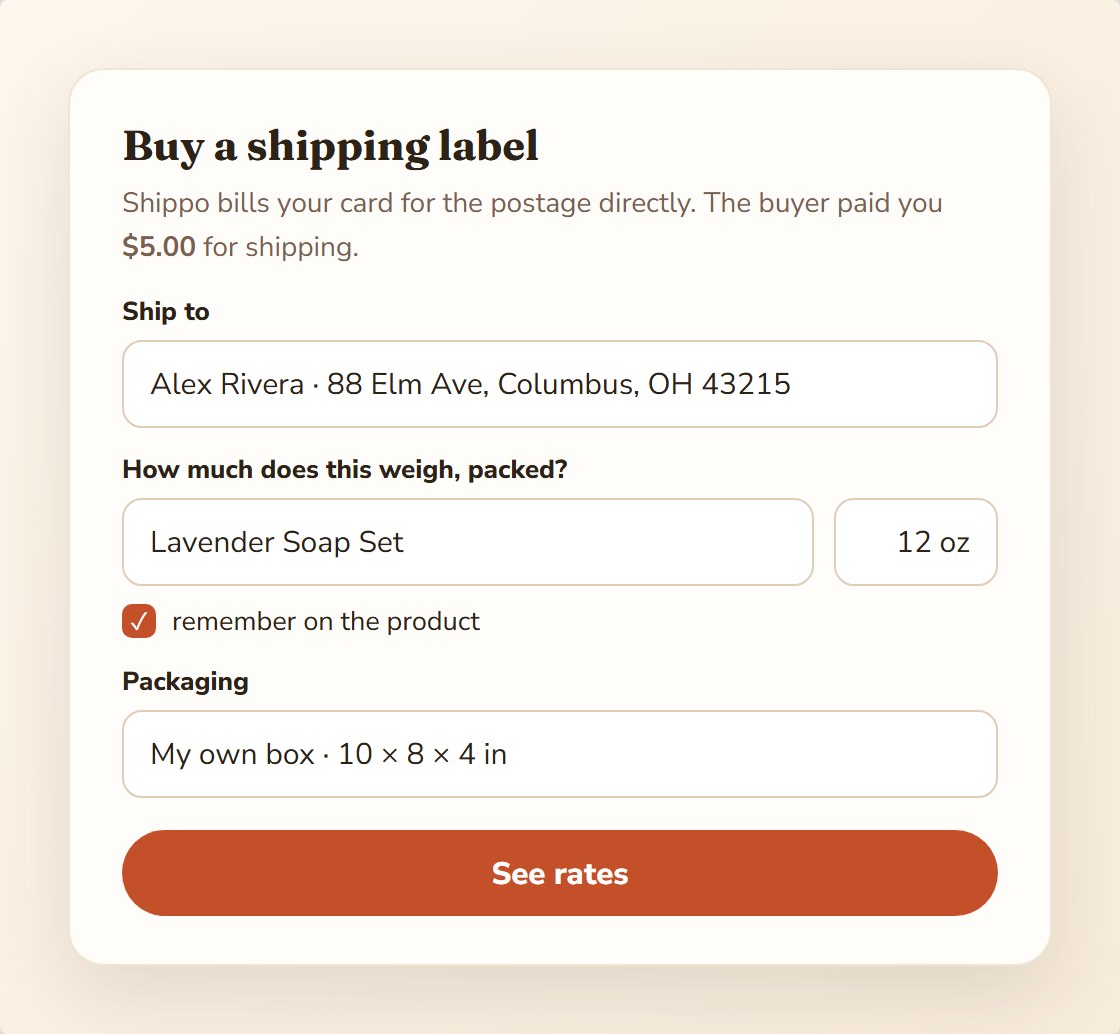
- Tap See rates. You’ll get two or three good choices, usually USPS Ground Advantage, USPS Priority, and the cheapest UPS, with delivery days and prices, and what your buyer paid you for shipping shown right above them so you can see your margin.
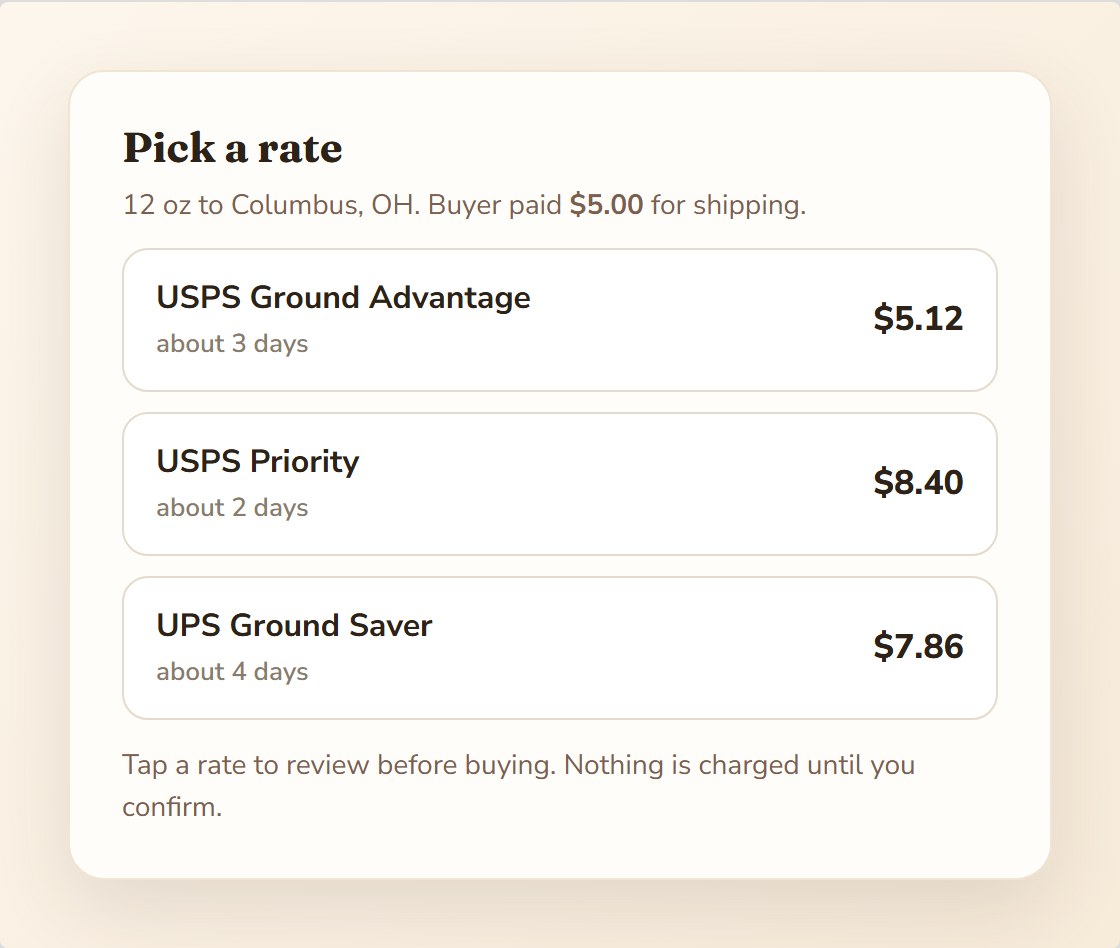
- Tap a rate, review the summary (service, price, box, weight, address), pick the label size if asked, and hit Buy label. Nothing is charged until that button.
What happens automatically
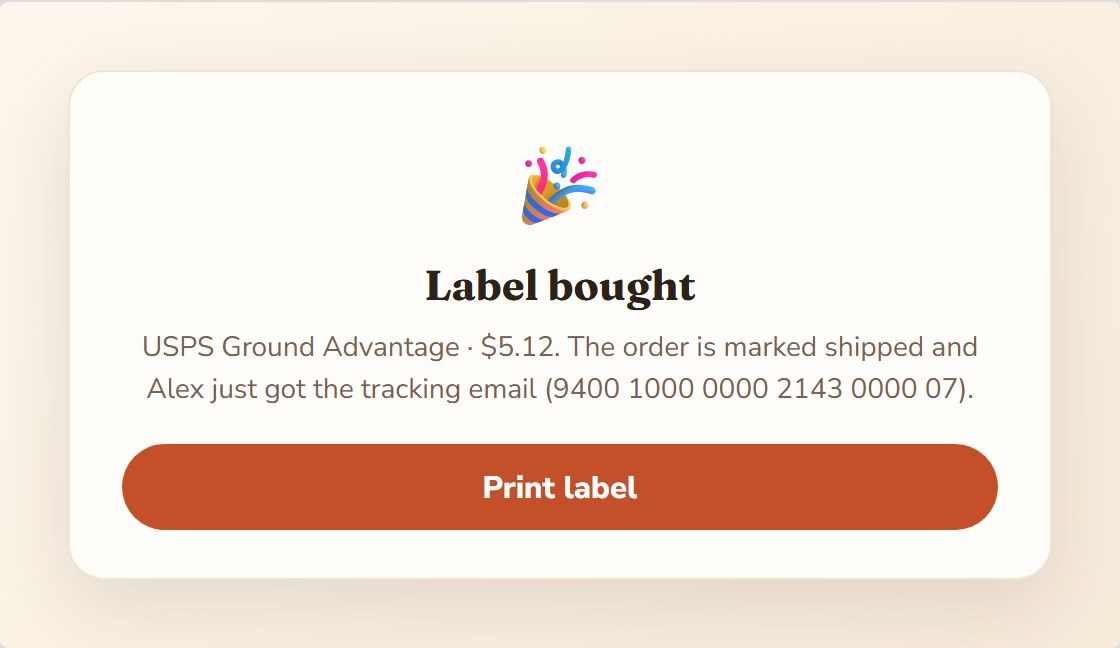
- The label PDF opens with Print label, and stays on the order forever if you need to reprint.
- The tracking number saves itself and the order is marked shipped.
- Your buyer gets the “your order shipped” email with the tracking link, the same one they’d get if you typed tracking in by hand. They never see Shippo, just you.
Common questions
What does it cost? Just the postage, charged by Shippo to your card. Shippo’s free plan covers 30 labels a month; LocaliBuy adds nothing on top.
Where do the discounts come from? Shippo’s commercial pricing, the same rates big shippers get. Light packages often come out 30 to 50 percent under counter prices.
Do I have to use this? Not at all. Mark shipped with your own tracking works exactly like it always has. This just saves the trip.
What about flat-rate boxes? Fully supported: pick the flat-rate envelope or box you’re using and the flat price comes back. The boxes themselves are free at the post office.