Sales tax: answering the question
How the sales tax question works in LocaliBuy: where to answer it, what happens to an order when tax is on, and why answering no is a complete answer.
Sales tax is the step that makes people stop and stare at the screen. Here is the good news: LocaliBuy only needs an answer, not a decision you have to be certain about forever. It takes about ten seconds, and you can change it later.
Why we ask at all
Your checkout has to know whether to add tax to an order. There is no safe guess. If we assumed no tax, we would be quietly charging your shoppers nothing on your behalf, and that is your liability, not ours. If we assumed a rate, we would be making one up.
So the question stays open until you answer it, and your store cannot open for orders until you do. That is the only reason it is required.
Where the setting lives
Open My Shop and click the Payments & Tax tile. Sales tax is the first section inside, above your payment options. You can also reach the same form at Payments, and the same question appears as the Sales Tax card on Delivery Options. Answer it in any of those places and you are done.
What the options are
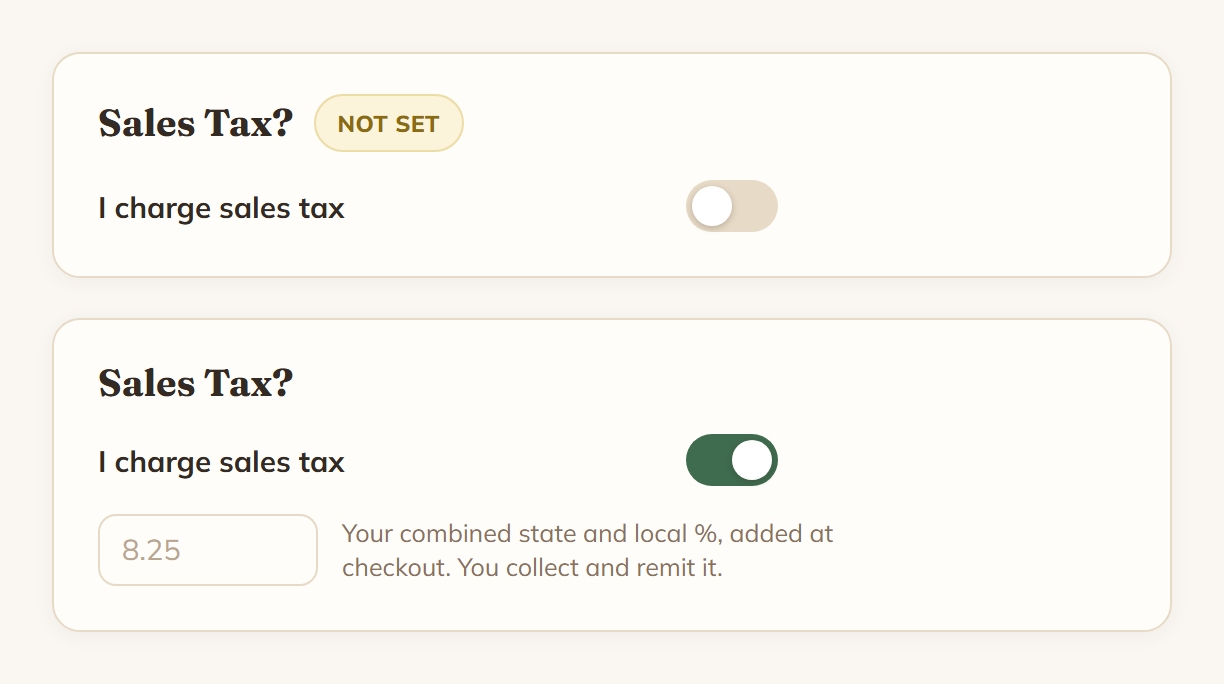
There is one switch, labelled I charge sales tax.
- Leave it off and press Save. That records a deliberate no.
- Switch it on and a rate box appears. Type your percentage and press Save.
While the question is unanswered, Save stays available even if you have not touched anything, so recording a no is one click.
Until you have saved either way, the section wears a yellow Not set badge, and your My Shop tile reads "tax not set". After you save it reads "no tax" or your rate, like "7.5% tax".
"Reviewed" just means answered
We record that you answered separately from what you answered, because "no tax" and "never asked" look identical otherwise. That is the whole trick. Answering no satisfies the step completely. Nobody is waiting for you to switch it on.
Exactly what the rate does
If tax is on, LocaliBuy multiplies your rate by the items subtotal of the order, and rounds to the nearest cent. The subtotal is the products themselves, at the price they sold for, including any sale price or option price you had set.
Delivery and shipping fees are not taxed. Your delivery fee or flat shipping charge is added after tax, so the order total is items, plus tax on those items, plus the delivery fee.
One rate covers your whole shop. There is no per-product or per-buyer-location rate, and no automatic lookup. What you type is what gets charged.
Where it shows up
Shoppers see a Tax line in the checkout summary before they order, and again on their order page and in their order email. It is never a surprise on the receipt.
On your side, tax shows on each order in Orders and on the printable order sheet. There is also a Sales Tax report that adds up what you collected by month or by quarter, with a CSV you can export.
One thing to know: the Pay Page you use at shows does not use this setting. Card payments there run through your own Square account and use the tax you set up in Square.
The part we cannot help with
Whether you should charge sales tax, what rate applies to you, whether you need a permit, and how and when to file are questions for your accountant or your state's tax office. We are not able to advise on any of it, and nothing on this page is tax advice. LocaliBuy only adds the number you tell us to add. You collect it and you remit it.
If you genuinely do not know yet, saving "no" is not a trap. Ask whoever does your taxes, then come back and change it. The setting takes effect on new orders straight away.