Delivery options: pickup, local delivery and shipping
How pickup, local delivery and shipping work, where to switch them on, and how a single product can offer fewer options than your store.
There are three ways a shopper can end up holding something you made: they collect it, you drop it off, or you post it. You choose which of the three your shop offers, and you can switch one off for a single item that has no business going in a box.
Where the switches live
Go to Delivery Options. There are three boxes, each with its own switch: Pickup, Local Delivery and Shipping. Flip a switch on and that box opens up and asks for its details. Your sales tax setting lives on the same page.
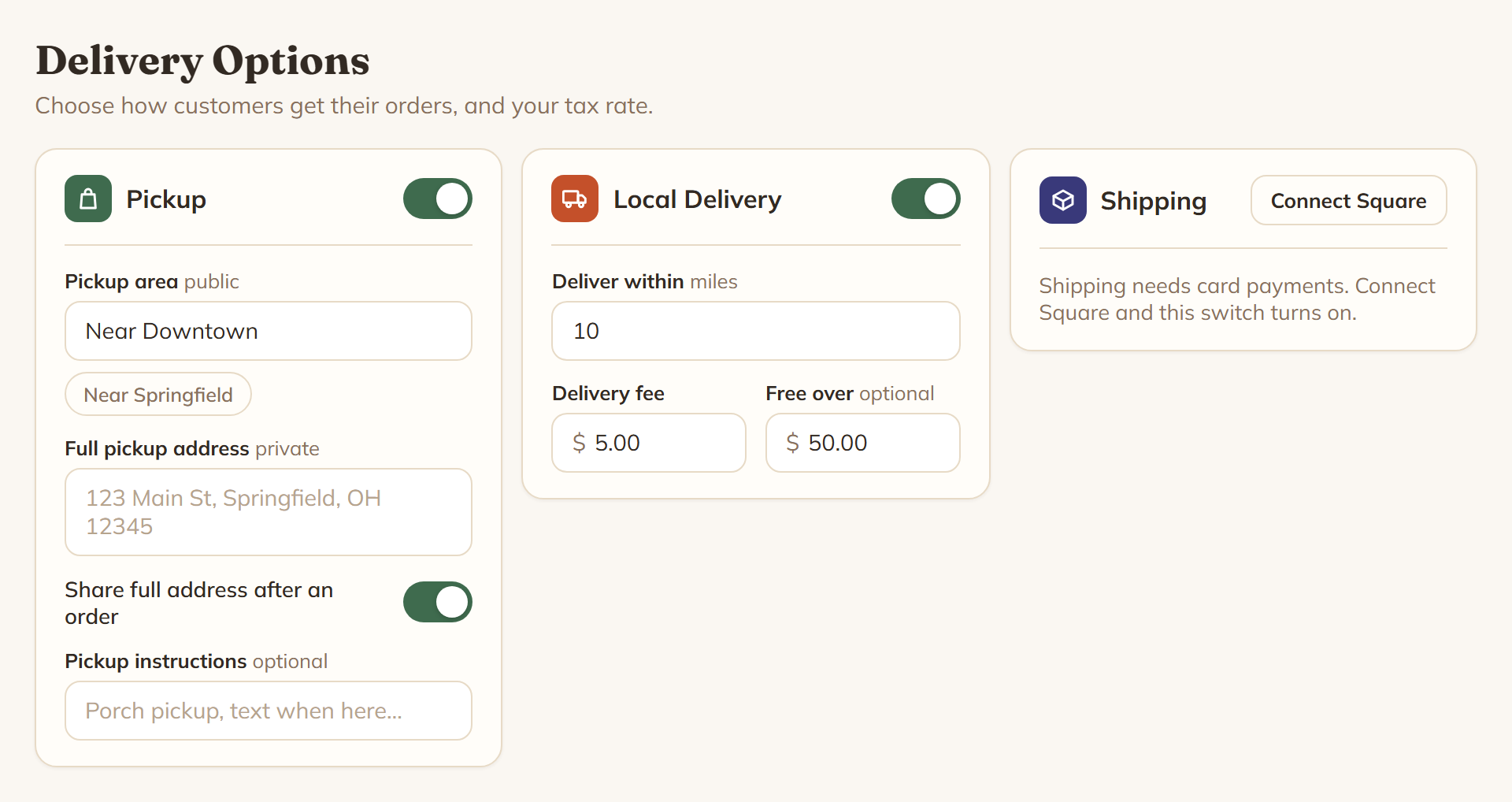
Each one asks for something different.
- Pickup asks for a Pickup area, which is public, so keep it general like "Near Downtown". It also asks for your Full pickup address, which is private. That address is only ever handed over if you turn on Share full address after an order, and then only to someone who has ordered. Pickup instructions are optional. There is no pickup fee.
- Local Delivery asks how far you will go, Deliver within so many miles, plus a Delivery fee and an optional Free over amount.
- Shipping asks for a Flat rate and an optional Free over amount.
Both Free over amounts are compared against the items in the cart, before tax and before the delivery fee itself.
Shipping needs card payments
This one catches people out. Shipping will not switch on until Square is connected. A parcel goes to someone you never meet, so cash and check are refused on a shipped order, and shipping without a card would be a promise nobody could pay for. Until you connect, the Shipping box shows a Connect Square button instead of a switch, and the note "Shipping needs card payments. Connect Square and this switch turns on."
If shipping was already on and the Square connection later goes away, you get "Shipping is switched on but hidden from your store." Shoppers stop being offered it until the connection is back.
You need at least one, or you cannot open
Delivery Options is a required tile on your My Shop board. With nothing switched on it reads "Not set up yet", and trying to open for orders comes back with "Finish setting up first: delivery options." Shipping only counts towards that tile when card payments are connected, so shipping on its own with no Square is still nothing.
Your store says what you offer. A product can offer less.
Every product has its own set of the same three switches, under How customers can get this in the product editor. A new product starts out matching your store settings, so if your shop does pickup and local delivery, that is how your next product arrives. If your store has nothing switched on yet, a new product starts with pickup and local delivery on and shipping off.
A product can only narrow things down, never widen them. Switching shipping on for one item does nothing if your store does not ship.
Why switch one off
Because some things should not be posted. A six foot trellis, a stained glass panel, a three tier cake. Turn shipping off on that one product and it stays pickup and delivery only, while everything else in your shop still ships.
What the shopper sees
They find out before checkout, not at the end of it. A product that offers less than the store gets a small chip, like "No shipping, pickup or local delivery only" or "Pickup only".
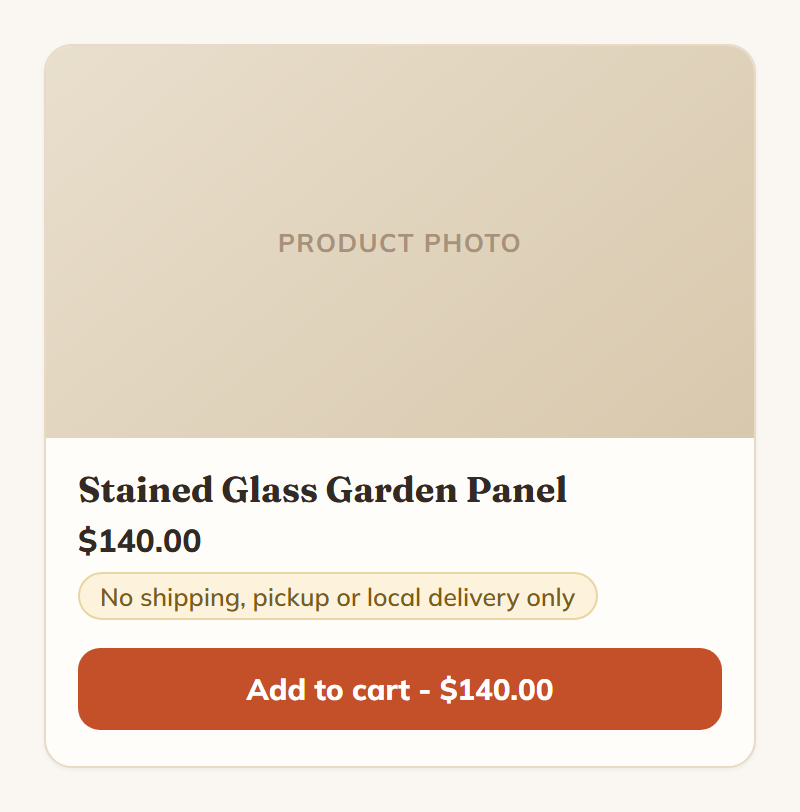
Adding it to the cart pops up a heads up saying the same thing. In the cart, they get a plain explanation, for example "Shipping isn't offered because Stained Glass Garden Panel can't be shipped. Remove it to unlock shipping for everything else."
If an item has every one of your store's methods switched off, it cannot be bought at all. The chip and the button both read "Not available right now."
What checkout asks the buyer for
- Local delivery and shipping both need a street, a city and a state.
- Shipping also needs a ZIP code and an email address.
- Local delivery needs a ZIP code too, and it gets checked against your radius. The distance is measured in a straight line between your shop's ZIP and theirs, not driving miles. Too far and they are told "Outside the local delivery area", with the miles and your limit. This check only runs if your shop has a ZIP saved.
- Cash and check are not offered on a shipped order.